
AWS vs Azure in 2026: An Honest Comparison from Someone Who Uses Both
A real-world breakdown of AWS and Azure from identity to networking to cost - no vendor bias, just practical experience.
Neither AWS nor Azure is universally better. Azure wins for Microsoft-centric orgs, hybrid identity, and Windows workloads. AWS wins for Linux at scale, serverless maturity, and instance variety. Pick based on your job market and existing ecosystem - the concepts transfer 70% between platforms.
"Which cloud should I learn?"
I get this question so often that I should probably have a pre-recorded answer on my phone. And every time, people expect me to pick one. They want a winner. Azure or AWS. Pick a side.
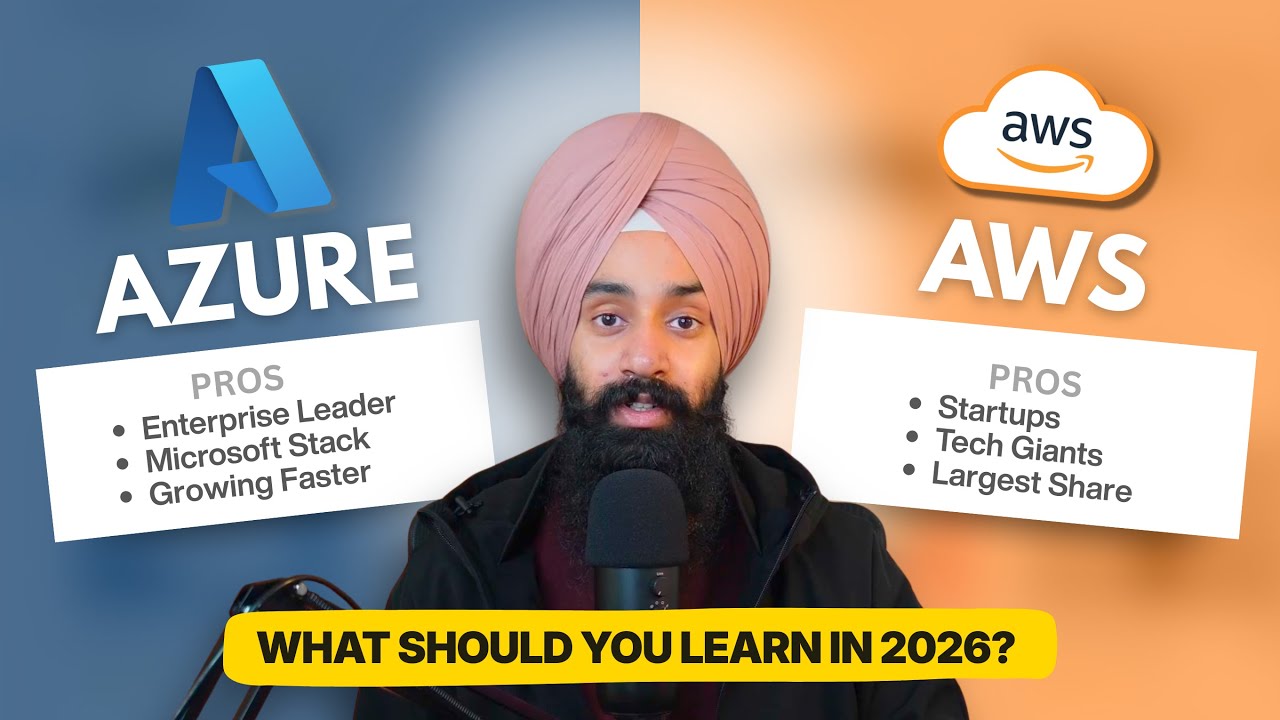
I'm not going to do that. What I will do is give you a genuinely honest comparison based on years of working with both platforms - Azure as my primary professional focus and AWS since earning my Cloud Practitioner certification in 2020 - training hundreds of students across both, and watching organizations make this decision - sometimes well, sometimes badly.
The Elephant in the Room
Yes, I'm a Microsoft Certified Trainer. Yes, I've worked with Azure extensively. But I also earned my AWS Cloud Practitioner certification back in 2020 and I've spent years working across both consoles, not just reading about them. I've seen how both platforms work in practice, where they shine, and where they frustrate you at 2am.
This comparison isn't going to be the typical "Azure is better for enterprises, AWS is better for startups" line that every other article gives you. That's an oversimplification and it's not helpful.
Let's actually dig into the areas that matter.
Identity: Entra ID vs IAM
This is where the philosophical difference between the two platforms becomes immediately obvious.
Azure's approach with Entra ID (formerly Azure AD) is identity-first. Everything revolves around a centralized directory. You sign in once, and your identity follows you across Azure resources, Microsoft 365, and third-party apps. Role-Based Access Control (RBAC) is assigned at different scopes - management group, subscription, resource group, or individual resource. The model makes intuitive sense if you've ever worked in an enterprise with Active Directory.
AWS's approach with IAM is policy-first. Instead of assigning roles at a scope, you write JSON policy documents that explicitly define what actions a principal can perform on which resources. It's incredibly granular - and incredibly verbose. A single S3 bucket access policy can be 40 lines of JSON before you've done anything interesting.
The Honest Take
Azure's identity model is easier to understand on day one. You pick a role, you assign it to a user at a scope, done. AWS IAM gives you more granular control, but that granularity comes with complexity. The policy evaluation logic in AWS (implicit deny, explicit allow, explicit deny, permission boundaries, SCPs, resource policies, session policies) is genuinely confusing even for experienced engineers.
If you're coming from an enterprise Windows or Microsoft 365 background, Azure's model will feel natural. If you're a developer who wants precise control over every API call, AWS IAM is powerful once you get past the learning curve.
My recommendation: Regardless of which platform you choose, invest time in understanding its identity model deeply. This is the foundation everything else sits on. Misconfigured IAM on either platform is the number one cause of security incidents in the cloud, and that's not an opinion - it's what the breach reports consistently show.
The best way to internalize this? Get your hands on a real environment and configure it yourself. Reading about policy evaluation logic is one thing - watching an access request get denied because of an explicit deny you didn't account for is a lesson you don't forget. If you want a safe place to practice, I've built labs for both Azure RBAC and AWS IAM on cloudlearn.io that walk you through real scenarios without the risk of breaking a production subscription.
Networking: VNet vs VPC
On the surface, Azure Virtual Networks (VNets) and AWS Virtual Private Clouds (VPCs) look almost identical. Both let you define an IP address space, carve it into subnets, and control traffic flow. But the defaults and mental models are different enough to trip you up.
Key Differences That Actually Matter
Subnets and availability:
- In Azure, a subnet can span all availability zones in a region. You deploy a VM, and you can choose the zone.
- In AWS, a subnet lives in a single availability zone. You must create separate subnets per AZ and think about distribution from the start.
This is one of those differences that doesn't seem like a big deal until you're designing a production architecture. AWS forces you to think about multi-AZ from the subnet level, which is actually a good practice - it just catches Azure people off guard.
Security groups:
- Azure has Network Security Groups (NSGs) with stateful rules at the subnet or NIC level. You define inbound and outbound rules with priorities.
- AWS has Security Groups (stateful, similar to Azure NSGs at the NIC level) AND Network ACLs (stateless, at the subnet level). Two layers, different behavior.
The NAT Gateway problem: Both platforms charge for NAT gateway services, but I want to be upfront: the AWS NAT Gateway cost has caught more teams off guard than almost anything else. If you're processing significant outbound traffic from private subnets, your NAT Gateway bill can easily exceed the cost of the resources behind it. I've seen teams spending $500/month on compute and $800/month on NAT Gateway traffic without realizing it.
Azure's NAT Gateway pricing is simpler and generally less expensive for high-throughput scenarios, though the per-hour cost is higher at the base level.
The Honest Take
Azure networking feels more "enterprise admin-friendly." The portal experience for VNets, subnets, and NSGs is relatively clean, and concepts map well if you've managed on-premises networks.
AWS networking feels more "builder-friendly." It gives you more primitives and expects you to compose them. Transit Gateway, VPC peering, PrivateLink, VPC endpoints - there are more options, which means more flexibility but also more decisions.
Neither is better. They optimize for different audiences and different organizational structures.
If you want to see these differences firsthand, try deploying a simple two-tier architecture on both platforms. Build a VNet with subnets and NSGs on Azure, then do the same with a VPC, Security Groups, and NACLs on AWS. The networking concepts look identical on paper until you actually configure them - that's where the mental model differences become real. You can try this out in the hands-on labs on cloudlearn.io if you don't want to worry about cost on your personal account.
Compute: The Big Three
Both platforms offer the full spectrum of compute options, but the naming conventions and default behaviors are where confusion lives.
| Azure | AWS | What It Is |
|---|---|---|
| Virtual Machines | EC2 | Traditional VMs |
| App Service | Elastic Beanstalk / App Runner | Managed web hosting |
| Azure Functions | Lambda | Serverless compute |
| Container Apps | ECS Fargate | Serverless containers |
| AKS | EKS | Managed Kubernetes |
| VM Scale Sets | Auto Scaling Groups | Auto-scaled VM pools |
Where Azure Edges Ahead
App Service is, in my experience, the most underrated Azure service. You can deploy a web app in minutes with built-in CI/CD, custom domains, SSL, authentication, and scaling - without thinking about infrastructure. AWS doesn't have a single equivalent that's as polished. Elastic Beanstalk has been around forever but it feels its age, and App Runner is improving but still limited in comparison.
Container Apps is Azure's answer to "I want containers without Kubernetes" and it's genuinely good. It abstracts away the cluster management while giving you scale-to-zero, Dapr integration, and revision management.
Where AWS Edges Ahead
Lambda is the most mature serverless compute platform available. The ecosystem around it - triggers from SQS, S3, API Gateway, EventBridge, DynamoDB Streams - is massive. Azure Functions is capable and improving, but the breadth of Lambda's event source integrations is hard to match.
EC2 instance variety is unmatched. If you need a specific CPU architecture, GPU type, or memory-to-compute ratio, AWS almost certainly has an instance family for it. Their Graviton (ARM-based) instances offer genuinely better price-performance for many workloads, and their Spot pricing is more mature than Azure's Spot VMs.
The Honest Take
For most common workloads - a web app, an API, a containerized service - both platforms will serve you perfectly fine. The differences start mattering at scale or with specialized workloads. Don't choose a cloud platform based on compute alone.
Storage: Blob vs S3
Azure Blob Storage and AWS S3 are functionally very similar, and honestly, either one does the job well. But there are practical differences worth knowing.
S3 has request-based pricing that catches people off guard. Every PUT, GET, LIST request costs money. If your application makes millions of small requests, those costs add up fast. Azure Blob Storage also charges per transaction, but the pricing tiers and thresholds are slightly different.
S3's storage class ecosystem is more granular. Standard, Intelligent-Tiering, Standard-IA, One Zone-IA, Glacier Instant Retrieval, Glacier Flexible Retrieval, Glacier Deep Archive - there's a class for every access pattern. Azure has Hot, Cool, Cold, and Archive, which covers most scenarios but with less fine-tuning.
Azure's integration with Entra ID for access control is arguably cleaner. RBAC on Blob Storage using Entra ID roles feels more natural than writing S3 bucket policies in JSON. That said, S3's bucket policies are more flexible when you need cross-account access or complex conditional logic.
The Cost Conversation
This is what everyone actually cares about, so let me give it to you straight.
Neither Platform Is Cheaper
Anyone who tells you "AWS is cheaper" or "Azure is cheaper" without context is either selling you something or hasn't done the math. The answer is always: it depends on your workload.
Here are some truths I've observed:
Azure tends to be cheaper when:
- You already have Microsoft 365 or Enterprise Agreements - the bundled licensing is real savings
- You're running Windows workloads - Azure Hybrid Benefit can cut VM costs by 40-50%
- You're heavily invested in the Microsoft ecosystem (SQL Server, Active Directory, .NET)
AWS tends to be cheaper when:
- You're running Linux-heavy workloads at scale
- You can effectively use Spot Instances or Savings Plans
- You need fine-grained control over instance sizing (more families = better right-sizing)
- You're running containerized workloads on Graviton instances
Both platforms will surprise you with:
- Data transfer (egress) charges - downloading data out of either cloud costs money
- NAT Gateway fees - especially on AWS
- Idle resources - the VM you spun up for testing three months ago is still running
- Premium storage IOPS - both platforms charge more for higher performance tiers
What Actually Controls Your Bill
In my experience training teams on cloud cost management, the platform itself accounts for maybe 10-15% of cost differences. The other 85% is how you manage your resources. Turning off non-production environments at night, right-sizing VMs, choosing the correct storage tiers, and using reserved pricing all have a far bigger impact than which cloud you're on.
Certifications: Which Path to Take
Since I've been through both certification ecosystems, let me offer some guidance.
Start with Azure if:
- You're in a Microsoft-centric organization
- Your company already uses Microsoft 365
- You're targeting IT admin or infrastructure roles
- You want the AZ-900 → AZ-104 → AZ-305 path
Start with AWS if:
- You're targeting developer or DevOps roles
- The startup/tech ecosystem in your area runs on AWS
- You want the broadest job market (AWS still holds the largest market share)
- You want the CLF-C02 → SAA-C03 → SAP-C02 path
The real advice: Don't agonize over this. Pick the one that aligns with your current or next job and get started. The concepts transfer. Once you understand networking, identity, compute, and storage on one platform, you're 70% there on the other. When I took the AWS Cloud Practitioner back in 2020, I passed it after two days of study - not because I'm brilliant, but because the underlying concepts are the same across platforms.
Learn the platform that gets you a job. Check job listings in your area - if 70% mention AWS, start with AWS. If your target companies use Azure, start with Azure. The concepts transfer 70% between platforms, so your first choice isn't permanent.
The Azure-to-AWS Translation Table
If you already know one platform, here's your cheat sheet for the other:
| Concept | Azure | AWS |
|---|---|---|
| Identity Provider | Entra ID | IAM / IAM Identity Center |
| VM Service | Virtual Machines | EC2 |
| Object Storage | Blob Storage | S3 |
| Managed SQL | Azure SQL Database | RDS |
| NoSQL Database | Cosmos DB | DynamoDB |
| Serverless Functions | Azure Functions | Lambda |
| Container Orchestration | AKS | EKS |
| Serverless Containers | Container Apps | ECS Fargate |
| Virtual Network | VNet | VPC |
| DNS | Azure DNS | Route 53 |
| CDN | Azure Front Door / CDN | CloudFront |
| Load Balancer (L7) | Application Gateway | ALB |
| Load Balancer (L4) | Azure Load Balancer | NLB |
| IaC (Native) | ARM Templates / Bicep | CloudFormation |
| Secrets Management | Key Vault | Secrets Manager / KMS |
| Monitoring | Azure Monitor | CloudWatch |
| Message Queue | Service Bus / Queue Storage | SQS / SNS |
| Event Streaming | Event Hubs | Kinesis |
| Data Pipeline | Data Factory | Glue |
| DevOps Platform | Azure DevOps | CodePipeline / CodeBuild |
| API Management | API Management | API Gateway |
| Web App Hosting | App Service | Elastic Beanstalk / App Runner |
| Resource Organization | Subscriptions + Resource Groups | Accounts + (Tags) |
Keep in mind: these are rough equivalents, not exact matches. Each service has its own quirks, pricing model, and limitations. Use this as a starting point, not a definitive mapping.
So Which One Should You Learn?
Learn the one that gets you a job. Seriously.
Check the job listings in your area or your target companies. If they run on Azure, learn Azure. If they run on AWS, learn AWS. If you don't know yet, look at the market data: AWS holds roughly 31% market share, Azure around 25%, and the gap has been narrowing year over year.
If you're already comfortable with one platform and want to add the other - great. Multi-cloud skills are increasingly valuable as organizations adopt best-of-breed strategies or migrate between providers. But don't try to learn both from scratch simultaneously. Get solid on one first, then expand.
And whatever you do, don't just collect certifications. Build something. Deploy a real application. Break things in a sandbox environment. The engineers who get hired aren't the ones with the most badges - they're the ones who can troubleshoot a networking issue at 2am without constantly looking up the documentation.
This is exactly why I built cloudlearn.io - so people can get hands-on with real Azure and AWS environments without worrying about surprise bills or breaking anything that matters. Every concept I've covered in this article has a corresponding lab you can work through.
That's what separates knowing a cloud platform from understanding it.
Azure Certification Roadmap 2026
If you're going the Azure route, here's the certification path that makes sense.
What's Next
I'll continue publishing AWS content alongside my Azure articles, including practical guides for specific AWS services. If you're an Azure engineer looking to expand into AWS, or an AWS engineer curious about Azure - you're in the right place.
Azure to AWS: A Practitioner's Guide
My hands-on series covering AWS from an Azure practitioner's perspective - IAM, S3, VPC, monitoring, and more.
Read Next
Getting Started with AWS When You Already Know Azure
What happens when a Microsoft MCT goes deep on AWS - the things that click, the things that don't, and the mental model shifts nobody warns you about.
After Training 500+ People, Here's the Azure Networking Mental Model That Finally Clicks
The building analogy, 3-question framework, and common mistakes I see in every Azure networking workshop. A mental model for VNets, Subnets, NSGs, and Route Tables.